This is a short post on how you can host your secrets in Bitwarden Secrets Manager and inject them into your Ansible Playbook during deployment.
Store your secrets in Bitwarden
Bitwarden’s personal free account offers their Secrets Manager tooling with few limits like 3 projects and 2 machine accounts.
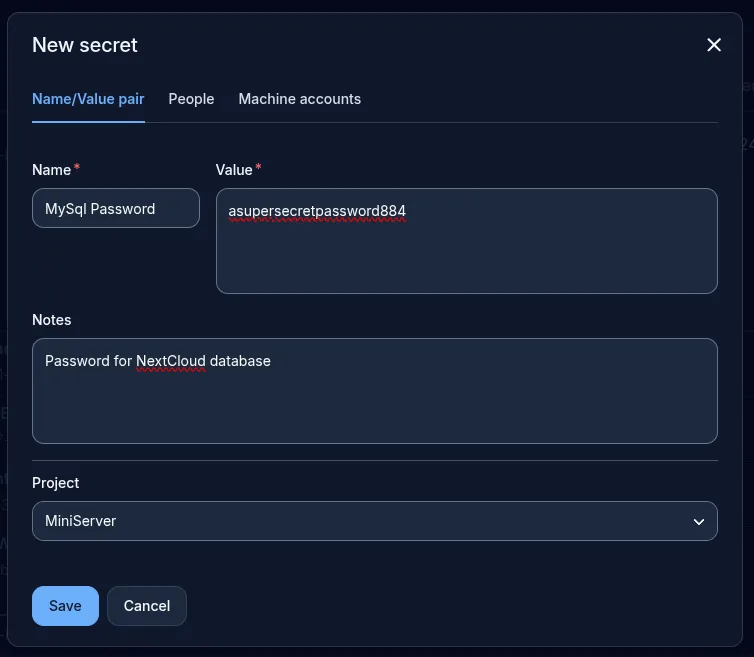
Adding secrets is really easy. Head over to your secrets manager dashboard, create a new project, then on top right corner select New > Secret. Enter in your secrets and their call name, select a project and click Save.
Install Bitwarden Plugin for Ansible
Bitwarden Secrets Manager Collection plugin for Ansible relies on Bitwarden SDK.
Bitwarden SDK bitwarden-sdk is only available to install as a Python library through it’s package manager pip. You can install and add bitwarden-sdk to your system at global level which is usually disruptive.
The recommended way is to create a python virtual environment and install the library inside it - so it remains isolated from your host and won’t disrupt with the default system-level python libraries installed at global level.
However, if you have installed ansible at system level (usually using your host’s package manager), then the ansible binary won’t be able to tap into the bitwarden-sdk library that’s installed inside a python virtual environment.
That’s why I chose to use pipx to install ansible at system level and then use it’s inject function to inject the bitwarden-sdk library in to ansible.
Note that pipx installs ansible under your user’s home directory and adds it to $PATH so you can run it from the CLI.
If you have already installed anisble using a package manager, I’d recommend purging and removing all dependencies of ansible before proceeding.
Install ansible
pipx install --include-deps ansible
pipx ensurepath
Inject bitwarden-sdk library into the ansible binary
pipx inject ansible bitwarden-sdk
Install bitwarden secrets into your ansible collection (it uses bitwarden-sdk library)
ansible-galaxy collection install bitwarden.secrets
Let’s fetch the secrets
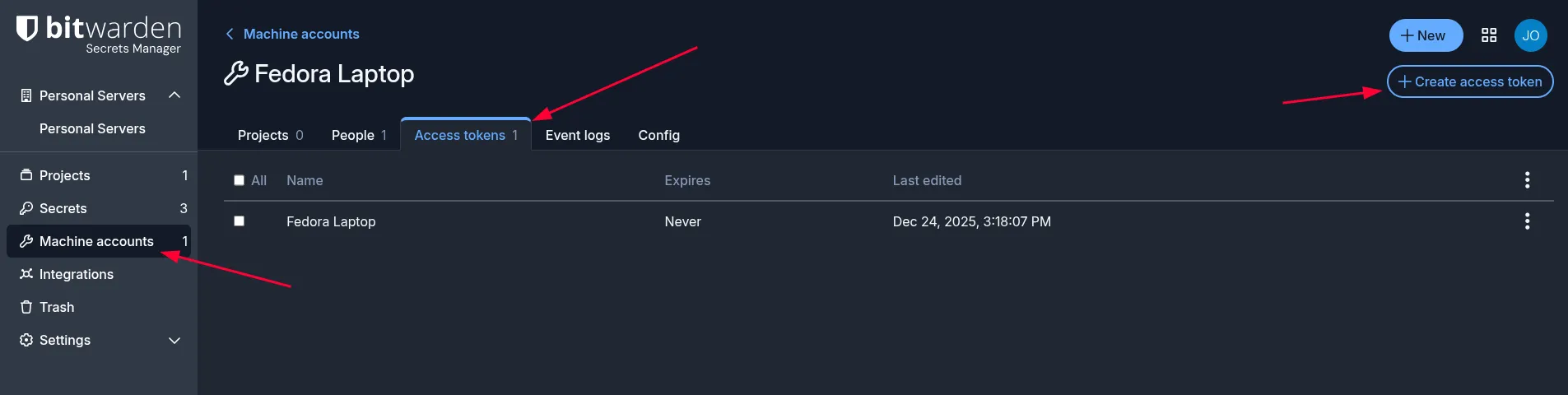
- Generate a machine access token for your workstation:
-
Save that Machine Access Token to an environment variable in your active ansible deployment shell like below:
export BWS_ACCESS_TOKEN=<ACCESS_TOKEN_VALUE> -
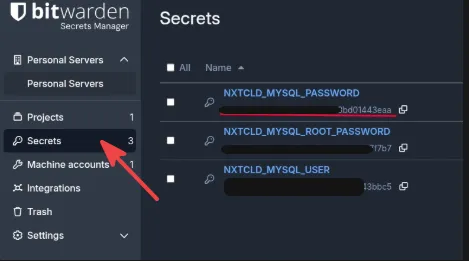
Head back to the Secrets tab and copy the Secret ID values of your secrets
-
Supply the Secret IDs copied from above into the
lookupplugin as seen below. The lookup plugin will pull the secrets and feed them into your playbook variables.Below is a snippet from my playbook of how I supplied the credentials for my NextCloud’s mysql database:
# these are not my actual secret ID.. infact you'd still need my access token to retrieve - name: Install NextCloud on appserver02 hosts: appserver02 vars: mysql_user: "{{ lookup('bitwarden.secrets.lookup', '<Secret ID>') }}" mysql_user: "{{ lookup('bitwarden.secrets.lookup', '<Secret ID>') }}" -
Save and run your Ansible playbook as always.